The form table and the filters
Read a row, filter the runs and open an old race
How do I read a row?
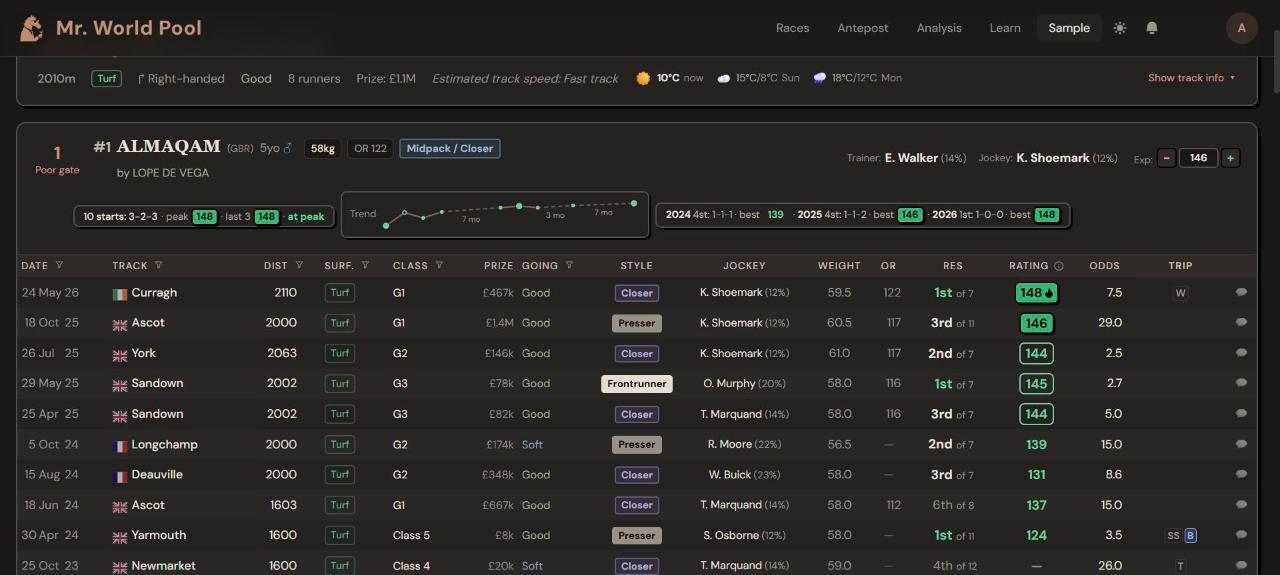
One row is one past run, newest at the top.
| Column | Meaning |
|---|---|
| Date | When. Hover the header for days since the last run |
| Track | Where |
| Dist · Surf. | Distance and surface that day |
| Class · Prize | The level of the race |
| Going | The ground that day |
| Style | How the horse raced (article 6) |
| Jockey | Who rode. Hover for the rider's record |
| Weight · OR | Weight carried and official mark that day |
| Res | Finishing position and field size |
| Rating | Our rating for the run (article 3) |
| Odds | The starting price |
| Trip · 💬 | Trip marks and the race comment (article 6) |
Can I see the whole race?
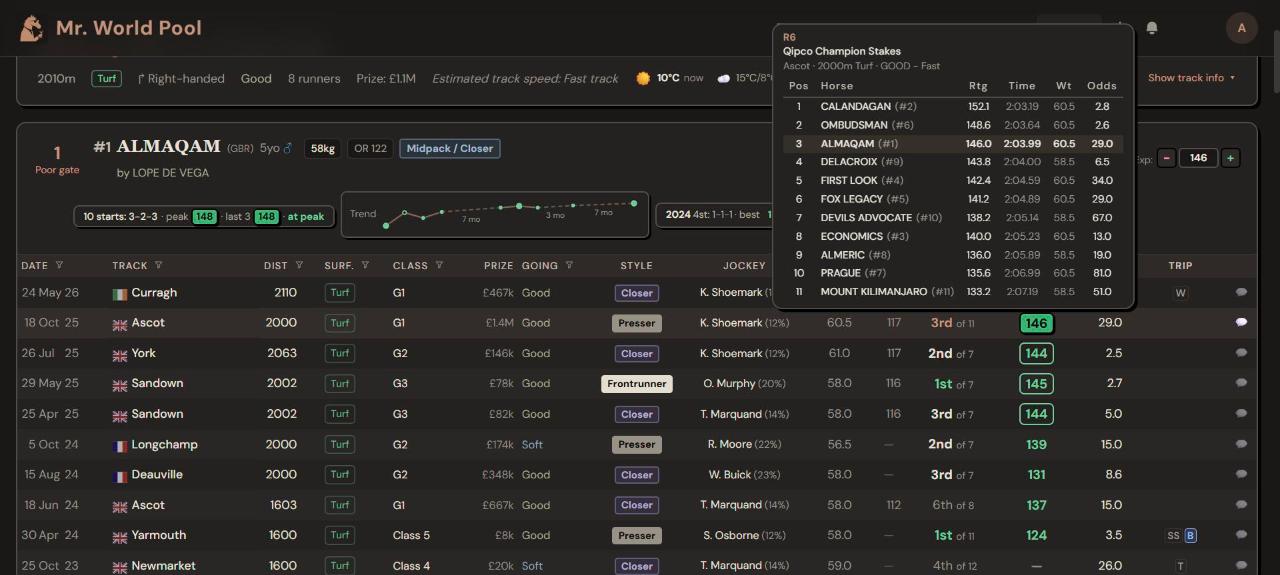
Yes, and it is one of the best things on the card. Hover the result and the full race opens: every runner, their ratings, times, weights and odds. You see at once what the horse was up against.
What do the filters do?
The small funnel icon next to a column header filters the runs for every horse, so you only see what matters for today. The filters sit on Date, Track, Dist, Surf., Class and Going (and Speed in Expert view). For example, the surface filter lets you show only turf runs or only dirt and all-weather runs.
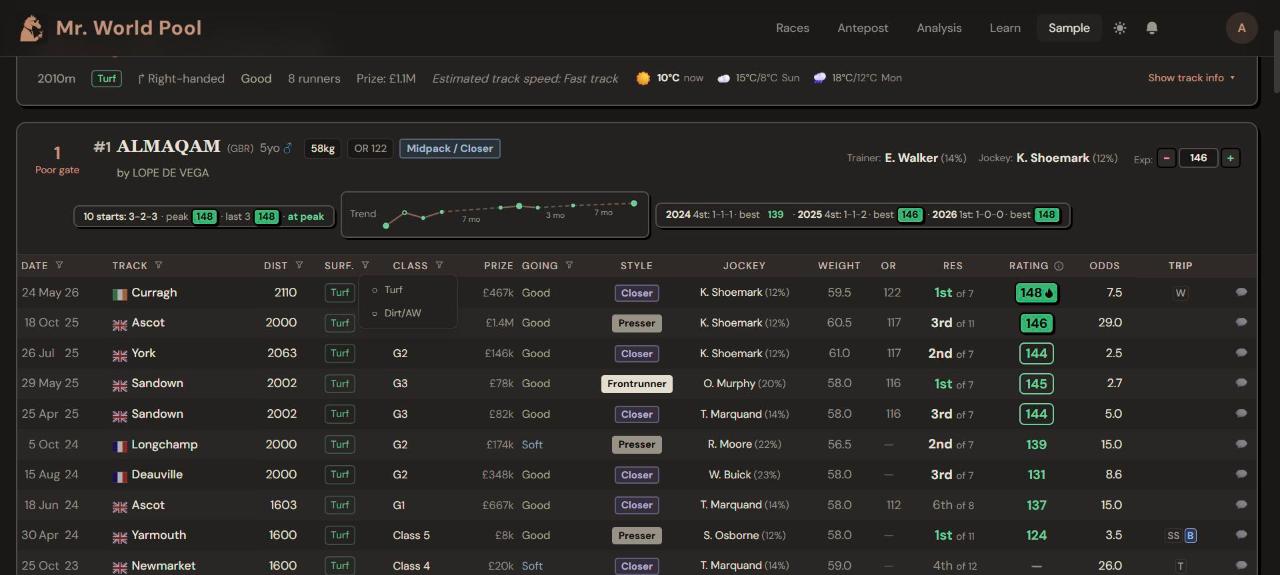
Date filters by year, Track by course, Dist by Sprint, Middle or Route, Class by the level of the race, and Going by Firm, Good, Soft or Heavy.
Use them when a horse has form on both surfaces, or over very different trips.
Why do I only see ten runs?
To keep the card readable. Press Show … more runs under the table for the rest. It matters most when you have filtered and only a few relevant runs are left.
See it on the card: open any racecard and press 📖 Tour at the top right. The tour points at each of these things in turn. Start the tour on the free sample card.
Want the thinking behind it? That is what the course is for. The Intro track is free; the full course is coming soon.